Gatsby로 옮기게 된 이유
노션에 익숙해지다보니 블로그도 노션으로 작성하는 것을 선호했다. 그러나 노션이 최근 많이 느려졌다고 느껴졌고 노션에 글을 쓰면서도 상당한 렉을 경험하여 사용하는 데에 많은 불편함을 느꼈다. morethanmin 님이 제작하신 morethan-log를 이용하여 노션의 글을 블로그로 연동하기도 해보았다. 뭔가 버그가 꼬인 것인지 글을 노션에 작성해도 블로그에 동기화 되지 않아 글을 쓸 때마다 새로 배포를 다시 해주어야 했다. 그리고 글 속의 코드블록들이 처음에 제대로 렌더링 되지 않는 문제도 있었다. 여러 가지로 불편함을 느끼고 있었던 차라 다른 방식으로 블로그를 사용할 수 있는 방법을 찾아보게 되었고 그 중 Gatsby를 이용하기로 했다. Gatsby를 이용하면 React 베이스로 블로그를 커스터마이징 할 수 있고 정적 사이트 생성을 하기 때문에 SEO 측면에서의 장점도 챙길 수 있을 것 같았다.
해야할 일
- Gatsby 템플릿을 이용하여 블로그 생성하기
- 이전 블로그 글 가져오기
- 배포
- 부가적인 기능 구현하기
1. Gatsby 템플릿으로 블로그 생성하기
템플릿 중 gatsby-starter-blog가 제일 노멀한 템플릿인 것 같아 이 템플릿을 사용하였다.
npm install gatsby-cli
npx gatsby new gatsby-starter-blog https://github.com/gatsbyjs/gatsby-starter-blog
2. 이전 블로그 글 가져오기
프로젝트 내 content/blog 내에 markdown 파일을 작성하여 글을 생성할 수 있다.
gatsby-config.js 를 살펴보면
plugins: [
   ...
    {
      resolve: `gatsby-source-filesystem`,
      options: {
        path: `${__dirname}/content/blog`,
        name: `blog`,
      },
    },
gatsby-source-filesystem 플러그인을 이용하여 content/blog 내의 파일을 웹 사이트 안에서 사용할 수 있는 GraphQL 노드로 만든다.
따라서 이전에 노션에 작성해둔 글을 markdown 파일로 가져와 폴더 안에 넣는다.
3. 배포
배포는 간단히 netlify를 이용하여 배포한다.
4. 부가적인 기능 구현
1. 카테고리 추가
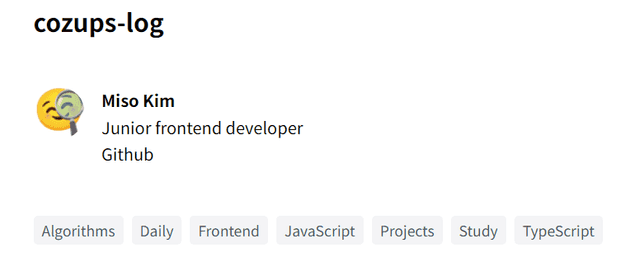
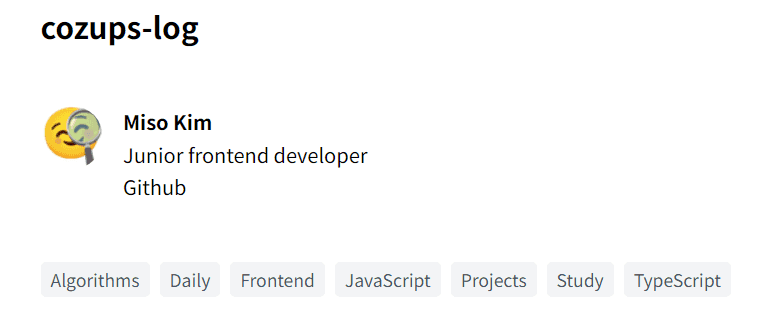
현재 템플릿에는 카테고리가 따로 없다. 그러나 많은 글을 구분하기 위해서 카테고리가 있는 것이 편하기 때문에 카테고리를 추가하였다.
- 모든 md 파일의 frontmatter에 카테고리를 추가한다.
- gatsby-node.js
createPages에 카테고리 관련 코드를 추가한다.
...
const categories = result.data.allMarkdownRemark.categoryList;
...

const categoryPosts = path.resolve(`./src/templates/category-posts.js`);
...

const result = await graphql(`
    {
      allMarkdownRemark(sort: { frontmatter: { date: ASC } }, limit: 1000) {
        categoryList: distinct(field: frontmatter___category)
        nodes {
          id
          fields {
            slug
          }
        }
      }
    }
  `);
...

if (categories.length > 0) {
    categories.forEach(category => {
      createPage({
        path: `/${category}/`,
        component: categoryPosts,
        context: { category },
      });
    });
}src/templates폴더에 카테고리 페이지 템플릿을 작성한다. (코드 링크)- 홈 페이지와 카테고리 페이지에서 카테고리를 쿼리하여 출력한다.
// components/categories.js
import * as React from "react";
import { Link } from "gatsby";

const Categories = ({ categories, current = "" }) => {
  return (
    <nav>
      <ul className="list-none flex gap-2 flex-wrap">
        {categories.map(category => (
          <li key={category}>
            <Link
              to={`/${category}`}
              className={`category-item ${current === category && "active"}`}
            >
              {category}
            </Link>
          </li>
        ))}
      </ul>
    </nav>
  );
};

export default Categories;
// templates/blog-list.js
return (
<Layout location={location} title={siteTitle}>
<Bio />
<Categories categories={categories} />
...
</Layout>
);
export const pageQuery = graphql`
{
site {
siteMetadata {
title
}
}
allMarkdownRemark(
sort: {
fields: [frontmatter___date, frontmatter___title]
order: [DESC, DESC]
}
) {
categoryList: distinct(field: frontmatter___category)
nodes {
id
excerpt
fields {
slug
}
frontmatter {
date(formatString: "MMMM DD, YYYY")
title
description
}
}
}
}
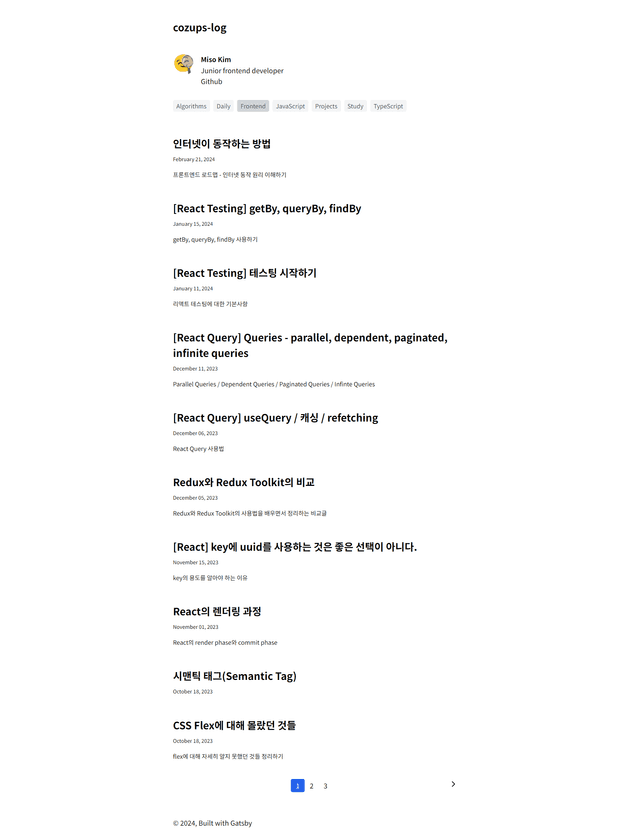
`;- 결과
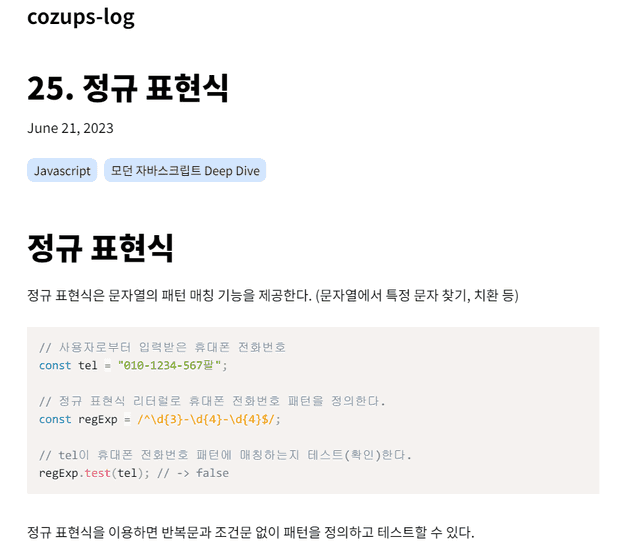
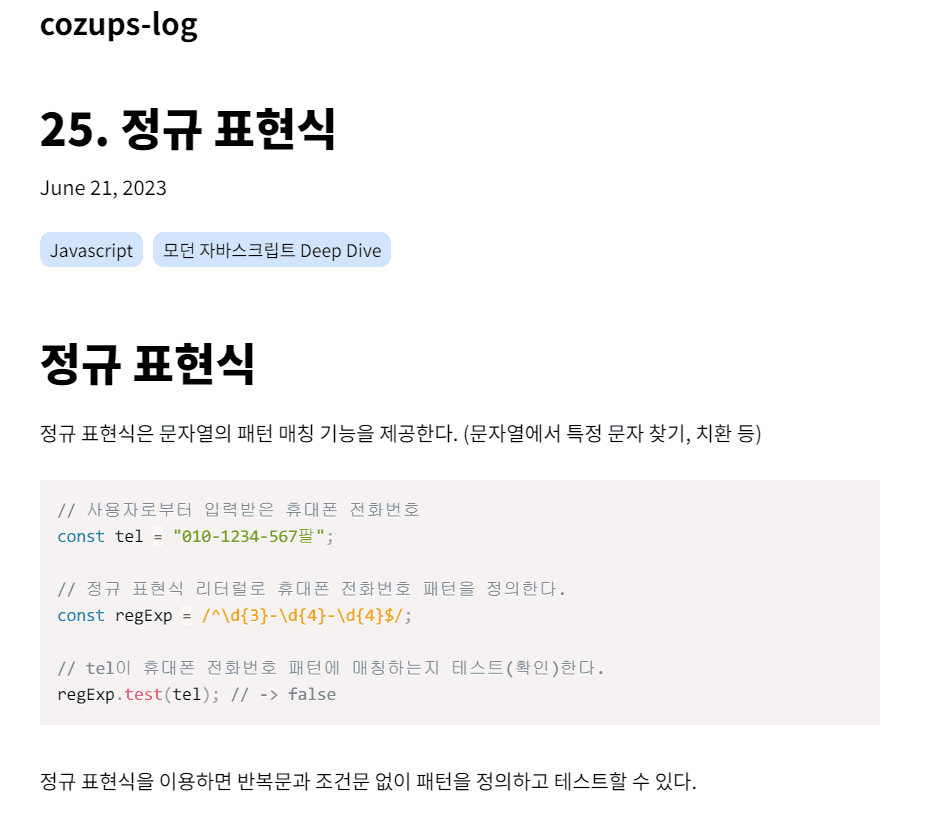
2. 태그 표시 추가
- 모든 md 파일에 tags를 추가한다.
- 쿼리 문의 nodes 안 frontmatter에 tags도 추가한다.
export const pageQuery = graphql`
  query BlogPostBySlug(
    $id: String!
    $previousPostId: String
    $nextPostId: String
  ) {
    site {
      siteMetadata {
        title
      }
    }
    markdownRemark(id: { eq: $id }) {
      id
      excerpt(pruneLength: 160)
      html
      frontmatter {
        title
        date(formatString: "MMMM DD, YYYY")
        description
        tags
      }
    }
    previous: markdownRemark(id: { eq: $previousPostId }) {
      fields {
        slug
      }
      frontmatter {
        title
      }
    }
    next: markdownRemark(id: { eq: $nextPostId }) {
      fields {
        slug
      }
      frontmatter {
        title
      }
    }
  }
`;- 불러온 tags를 렌더링한다.
const BlogPostTemplate = ({
  data: { previous, next, site, markdownRemark: post },
  location,
}) => {
  const siteTitle = site.siteMetadata?.title || `Title`;
  const tags = post.frontmatter.tags || [];

  return (
    <Layout location={location} title={siteTitle}>
      <article
        className="blog-post"
        itemScope
        itemType="http://schema.org/Article"
      >
        ...
        <aside id="tags">
          {
            <ul>
              {tags.map(tag => (
                <li key={tag}>{tag}</li>
              ))}
            </ul>
          }
        </aside>
        ...
      </article>
      ...
    </Layout>
  );
};- 결과
3. 페이지네이션
1) index 페이지
// gatsby-node.js
...
const postsPerPage = 10;
const numPages = Math.ceil(posts.length / postsPerPage);
Array.from({ length: numPages }).forEach((_, i) => {
	createPage({
	  path: i === 0 ? `/` : `/page/${i + 1}`,
	  component: path.resolve("./src/templates/blog-list.js"),
	  context: {
		limit: postsPerPage,
		skip: i * postsPerPage,
		numPages,
		currentPage: i + 1,
	  },
	});
});
...
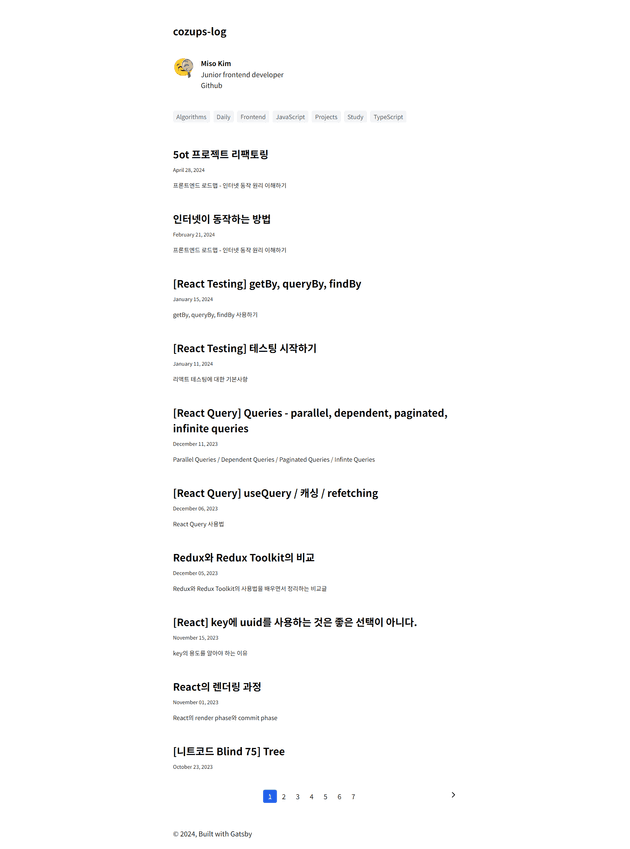
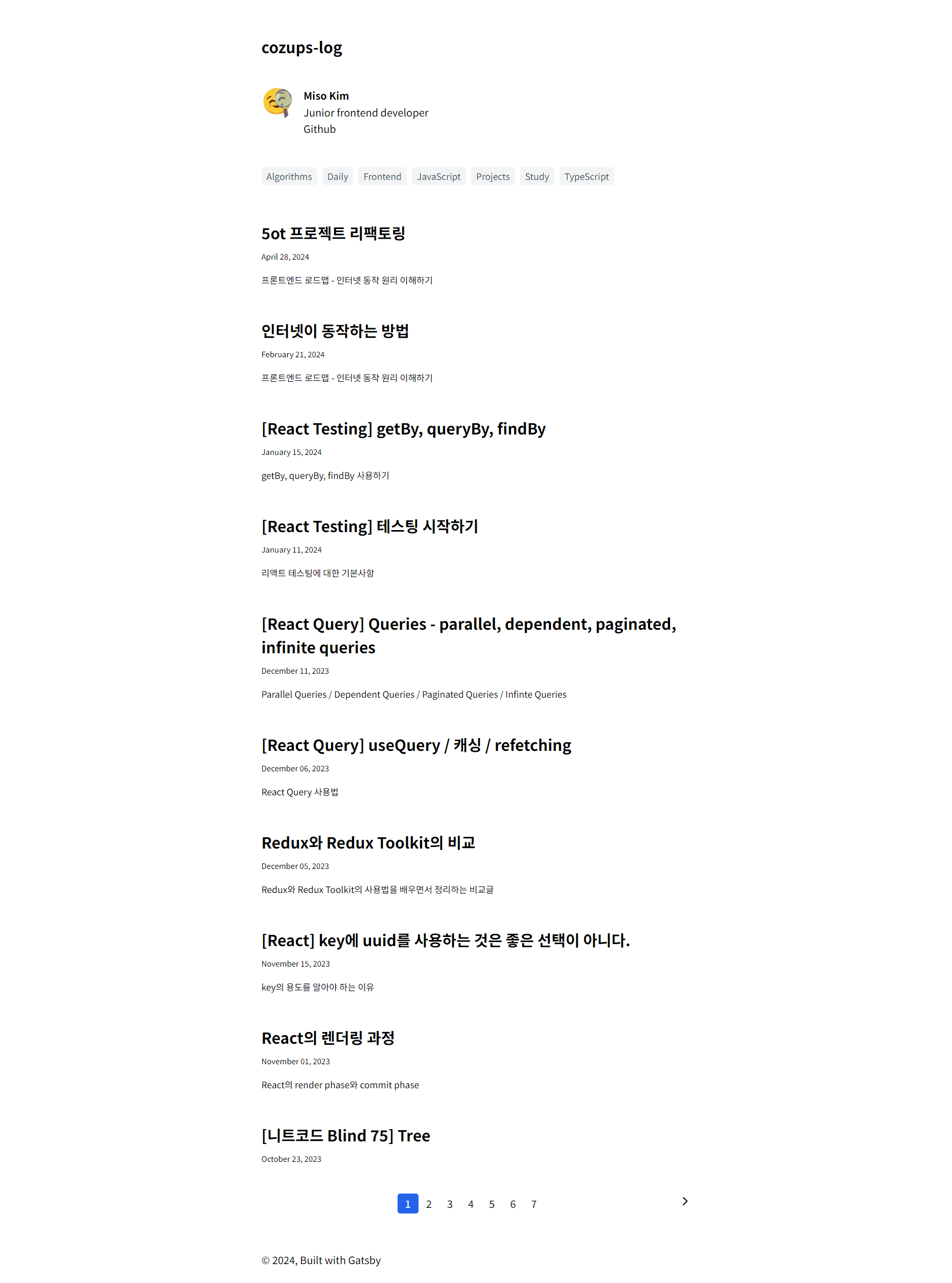
페이지네이션 코드를 gatsby-node.js파일에 구현한다. 이 코드는 페이지네이션의 각 페이지마다 blog-list 템플릿을 이용하여 페이지를 생성하는 코드이다.
...

const BlogListTemplate = ({ data, location, pageContext }) => {
 ...

  const prevPageDisabled = pageContext.currentPage === 1;
  const nextPageDisabled = pageContext.currentPage === pageContext.numPages;
  const pageNumberList = Array.from(
    { length: pageContext.numPages < 10 ? pageContext.numPages : 10 },
    (_, index) => Math.floor(pageContext.currentPage / 10) + index + 1
  );

  return (
    ...
      <div className="flex justify-center">
        {!prevPageDisabled && (
          <Link to={pageContext.previousPagePath} className="text-black">
            {"<"}
          </Link>
        )}
        <ul className="list-none flex">
          {pageNumberList.map(pageNumber => (
            <li>
              <Link
                className={`text-black border-black border-2 px-2 ${
                  pageNumber === pageContext.currentPage && "page-activated"
                }`}
                to={pageNumber === 1 ? `/` : `/page/${pageNumber}`}
              >
                {pageNumber}
              </Link>
            </li>
          ))}
        </ul>
        {!nextPageDisabled && (
          <Link to={pageContext.nextPagePath} className="text-black">
            {">"}
          </Link>
        )}
      </div>
    </Layout>
  );
};

export default BlogListTemplate;

...

export const pageQuery = graphql`
  query ($skip: Int!, $limit: Int!) {
    site {
      siteMetadata {
        title
      }
    }
    categoryList: allMarkdownRemark {
      categories: distinct(field: frontmatter___category)
    }
    allMarkdownRemark(
      sort: {
        fields: [frontmatter___date, frontmatter___title]
        order: [DESC, DESC]
      }
      skip: $skip
      limit: $limit
    ) {
      nodes {
        id
        excerpt
        fields {
          slug
        }
        frontmatter {
          date(formatString: "MMMM DD, YYYY")
          title
          description
        }
      }
    }
  }
`;src/templates폴더에 blog-list.js파일을 만들어 템플릿을 작성한다. $skip과 $limit을 이용하여 데이터의 일부분을 가져온다. 이 결과가 data prop으로 들어가게 되며 기존의 코드가 이를 렌더링 하게 된다. 우리가 추가해야 할 부분은 페이지 표시를 하는 컴포넌트 부분이다. 위에 적힌 코드가 이에 해당한다. 카테고리 페이지에도 적용해야 하므로 추후에 컴포넌트를 따로 분리하겠다.
그 후에 src/pages에서 index.js를 삭제한다. index.js를 삭제하는 이유는 createPage 메서드에 지정한 path옵션에 따라 페이지가 1일 때 우리는 블로그 기본 URL(cozups-log.netlify.app)에 접속하게 되는데, 이 때 blog-list.js 페이지와 index.js 페이지가 충돌하여 오류를 일으킨다. 따라서 index.js 페이지를 삭제해야 한다.
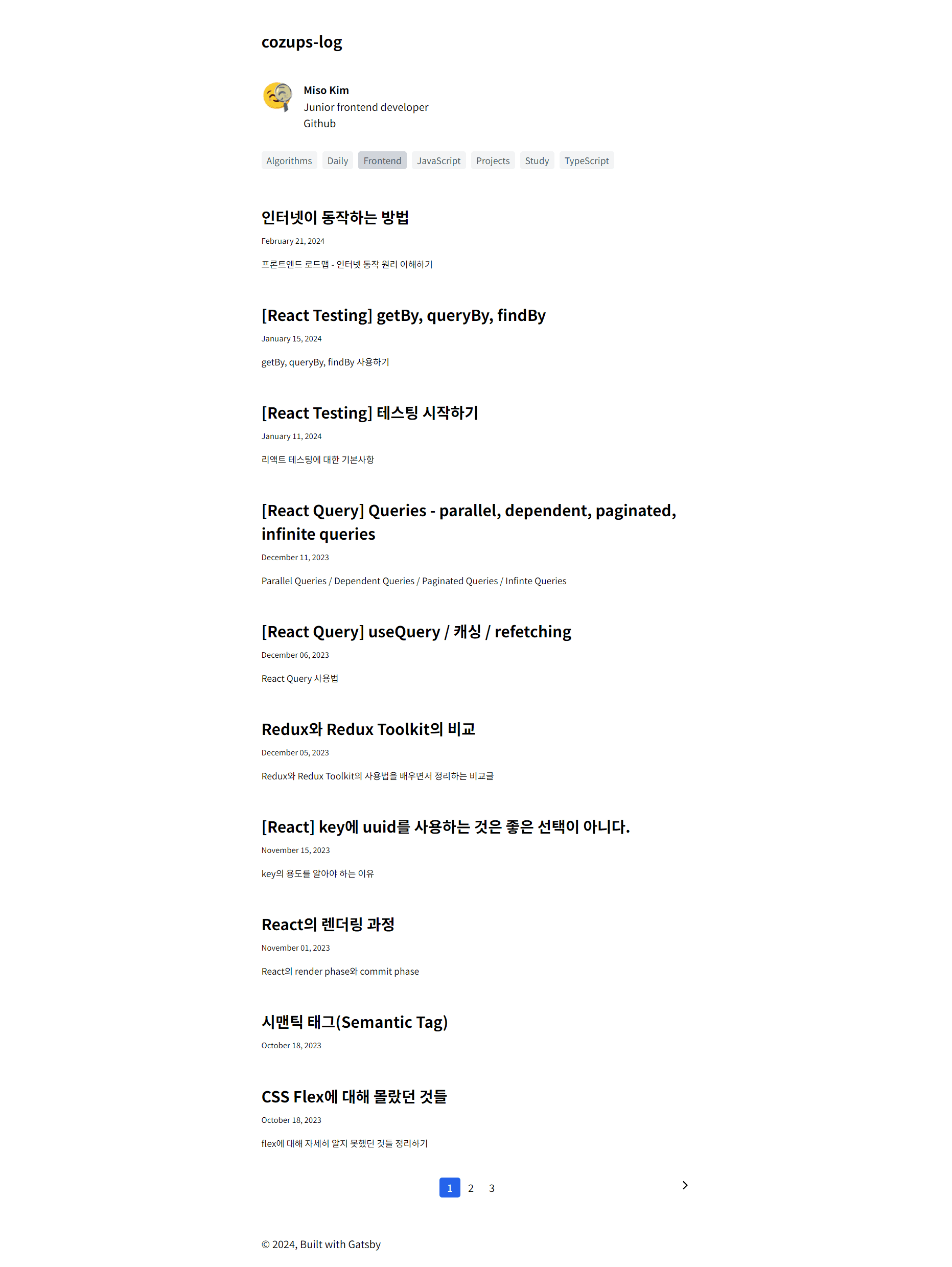
- 결과
2) 카테고리 페이지
index 페이지에 페이지네이션을 도입했다면 그 다음에는 카테고리 페이지에도 페이지네이션을 도입해야 한다. 따라서 gatsby-node.js와 templates/category-posts.js를 수정할 필요가 있다.
우선 쿼리문을 조금 바꿔야 한다.
// gatsby-node.js
const result = await graphql(`
    {
      allMarkdownRemark(sort: { frontmatter: { date: ASC } }, limit: 1000) {
        categoryList: distinct(field: frontmatter___category)
        nodes {
          id
          fields {
            slug
          }
        }
        // 추가된 부분
        categoryPosts: group(field: frontmatter___category) {
          fieldValue
          nodes {
            id
            fields {
              slug
            }
            frontmatter {
              title
              date
            }
          }
        }
      }
    }
  `);
추가된 쿼리문은 frontmatter의 category에 따라 포스트들을 그룹화한다.
[
  {
    "fieldValue": "category1",
    "nodes": [
      {
        "id": "1",
        "fields": { "slug": "/post-1" },
        "frontmatter": { "title": "Post 1", "date": "2022-01-01" }
      },
      {
        "id": "2",
        "fields": { "slug": "/post-2" },
        "frontmatter": { "title": "Post 2", "date": "2022-01-02" }
      }
    ]
  },
  {
    "fieldValue": "category2",
    "nodes": [
      {
        "id": "3",
        "fields": { "slug": "/post-3" },
        "frontmatter": { "title": "Post 3", "date": "2022-01-03" }
      }
    ]
  }
]
위와 같은 형태로 카테고리 별로 포스트들이 묶인다.
그리고 createPage를 사용하는 부분도 고쳐야 한다.
// gatsby-node.js
const postsPerPage = 10;

if (categories.length > 0) {
  const postGroups = result.data.allMarkdownRemark.categoryPosts;

  postGroups.forEach(group => {
    const category = group.fieldValue;
    const posts = group.nodes;
    const numPages = Math.ceil(posts.length / postsPerPage);

    Array.from({ length: numPages }).forEach((_, i) => {
      createPage({
        path: i === 0 ? `/${category}/` : `/${category}/page/${i + 1}`,
        component: categoryPosts,
        context: {
          category,
          limit: postsPerPage,
          skip: i * postsPerPage,
          numPages,
          currentPage: i + 1,
        },
      });
    });
  });
}
index 페이지를 페이지네이션 하는 것과 비슷하게 구현한다.
그 후에, templates/category-posts.js파일을 수정해야 한다. $skip과 $limit을 이용하여 데이터 중 일부만 가져오는 쿼리로 바꿔야 하며 그 코드는 아래와 같다.
export const pageQuery = graphql`
  query ($category: String!, $skip: Int!, $limit: Int!) {
    site {
      siteMetadata {
        title
      }
    }
    categoryList: allMarkdownRemark {
      categories: distinct(field: frontmatter___category)
    }
    categoryPosts: allMarkdownRemark(
      sort: {
        fields: [frontmatter___date, frontmatter___title]
        order: [DESC, DESC]
      }
      filter: { frontmatter: { category: { eq: $category } } }
      skip: $skip
      limit: $limit
    ) {
      nodes {
        id
        excerpt
        fields {
          slug
        }
        frontmatter {
          date(formatString: "MMMM DD, YYYY")
          title
          description
        }
      }
    }
  }
`;
그리고 페이지네이션의 페이지를 표시하는 부분을 추가해야 하는데 index 페이지와 중복되므로 따로 컴포넌트를 분리하였다.
// src/components/pagination.js
import React from "react";
import { Link } from "gatsby";

import { MdArrowForwardIos, MdArrowBackIosNew } from "react-icons/md";

const Pagination = ({ path = "", pageContext }) => {
  const prevPageDisabled = pageContext.currentPage === 1;
  const nextPageDisabled = pageContext.currentPage === pageContext.numPages;
  const pageNumberList = Array.from(
    { length: pageContext.numPages < 10 ? pageContext.numPages : 10 },
    (_, index) => Math.floor(pageContext.currentPage / 10) + index + 1
  );

  return (
    <div className="pagination">
      {
        <Link
          to={
            pageContext.currentPage === 2
              ? `${path}/`
              : `${path}/page/${pageContext.currentPage - 1}`
          }
          className="text-black"
        >
          {!prevPageDisabled ? <MdArrowBackIosNew /> : ""}
        </Link>
      }
      <ul className="list-none flex">
        {pageNumberList.map(pageNumber => (
          <li key={`page/${pageNumber}`}>
            <Link
              className={`pagination-item ${
                pageNumber === pageContext.currentPage && "page-activated"
              }`}
              to={pageNumber === 1 ? `${path}/` : `${path}/page/${pageNumber}`}
            >
              {pageNumber}
            </Link>
          </li>
        ))}
      </ul>
      {
        <Link
          to={`${path}/page/${pageContext.currentPage + 1}`}
          className="text-black"
        >
          {!nextPageDisabled ? <MdArrowForwardIos /> : ""}
        </Link>
      }
    </div>
  );
};

export default Pagination;
이 컴포넌트를 템플릿에 적용한다. 그 결과 코드는 아래와 같다.
// templates/category-posts.js
import * as React from "react";
import { Link, graphql } from "gatsby";
...
import Pagination from "../components/pagination";

const CategoryPostsTemplate = ({ data, location, pageContext }) => {
 ...
  return (
    <Layout location={location} title={siteTitle}>
      ...
      <ol style={{ listStyle: `none` }}>
        // posts 렌더링
        ...
      </ol>
      <Pagination path={`/${category}`} pageContext={pageContext} />
    </Layout>
  );
};

export default CategoryPostsTemplate;

export const pageQuery = graphql`
  query ($category: String!, $skip: Int!, $limit: Int!) {
    site {
      siteMetadata {
        title
      }
    }
    categoryList: allMarkdownRemark {
      categories: distinct(field: frontmatter___category)
    }
    categoryPosts: allMarkdownRemark(
      sort: {
        fields: [frontmatter___date, frontmatter___title]
        order: [DESC, DESC]
      }
      filter: { frontmatter: { category: { eq: $category } } }
      skip: $skip
      limit: $limit
    ) {
      nodes {
        id
        excerpt
        fields {
          slug
        }
        frontmatter {
          date(formatString: "MMMM DD, YYYY")
          title
          description
        }
      }
    }
  }
`;
- 결과